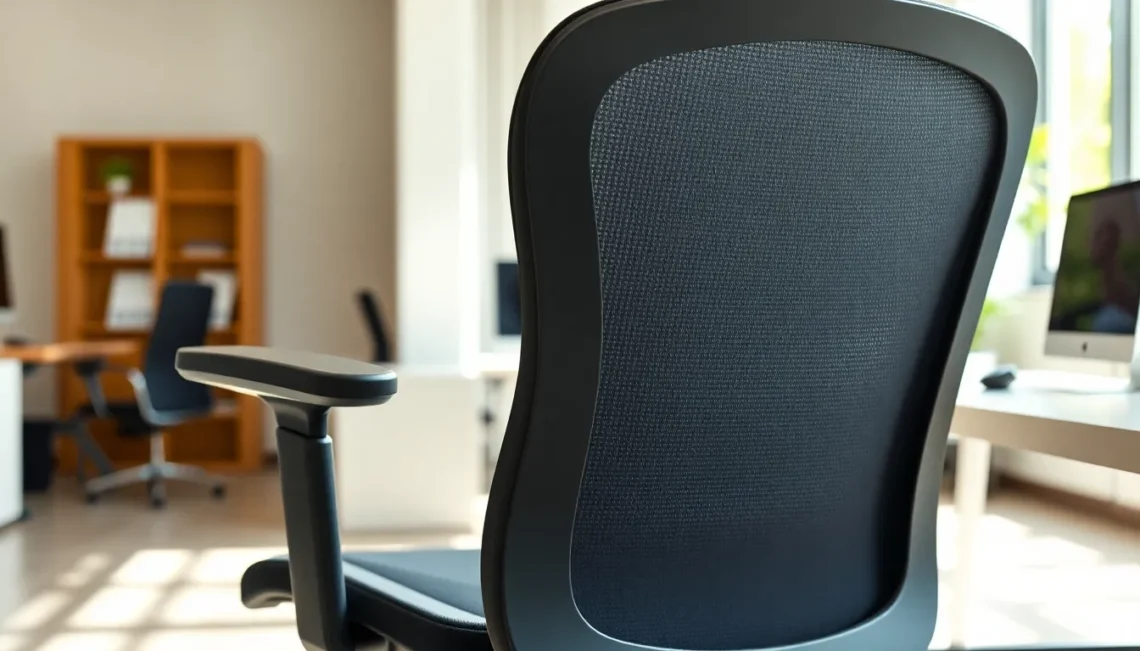
Your back doesn't care about your job title or how important that next deadline is. It only cares about one thing: how you're sitting right now. If you spend hours at a desk, the chair beneath you isn't just furniture - it's the difference between ending your day energized or ending it with a heating pad and ibuprofen. The wrong chair turns every workday into a slow-motion injury, while the right one supports your spine the way it was designed to move and rest. Let's talk about what actually matters when you're shopping for an office chair that won't leave you wincing by lunch.
Understanding What Your Spine Actually Needs
Your spine has a natural S-curve when viewed from the side. The lower back curves inward, the mid-back curves outward, and the neck curves inward again. This isn't just anatomy trivia - it's the foundation of comfortable sitting. When a chair lacks proper lumbar support, that lower curve flattens out, putting pressure on the discs between your vertebrae and straining the muscles that try to compensate.
Proper lumbar support maintains that natural S-curve and prevents disc compression. You'll find this support in different forms: some chairs have a fixed curved backrest, others offer an adjustable lumbar cushion you can move up or down, and some use a tension system that pushes against your lower back. The key is finding support that hits the right spot - typically just above your belt line - and holds it there without feeling like you're being shoved forward.
But lumbar support alone won't save you. Your chair needs to let you move. Static sitting, where you're locked in one position for hours, creates what's called static loading on your spine. Think of it like holding a weight with your arm extended - eventually, even a light weight becomes unbearable. Dynamic sitting, encouraged by recline and tilt mechanisms, lets you shift positions throughout the day. This movement reduces pressure on any single part of your spine and keeps blood flowing to the muscles that support your back.
The Adjustments That Actually Matter
Walk into any office furniture store and you'll see chairs with enough levers and knobs to pilot a small aircraft. Not all adjustments are created equal. Some are genuinely useful, others are marketing gimmicks. Let's focus on what your back actually needs.
Seat height is non-negotiable. Your feet should rest flat on the floor with your thighs roughly parallel to the ground. This position keeps your hips level and prevents you from perching on the edge of the seat or dangling your feet, both of which throw off your spine alignment. Most office chairs adjust from about 16 to 21 inches, which covers most people, but if you're particularly tall or short, check the range before buying.
Seat depth matters more than most people realize. The seat pan - that's the part you sit on - should allow at least a half-inch gap between its front edge and the back of your knees. Too little clearance and you'll cut off circulation to your legs. Too much and you'll either slouch forward or miss out on the backrest support entirely. Adjustable seat depth lets you dial in this fit precisely, which is especially important if you're sharing a chair with someone of a different height.
Armrests reduce strain on your shoulders and neck by supporting the weight of your arms while you type or use a mouse. But they need to adjust. Your arms should rest comfortably with your shoulders relaxed, not hunched up or hanging down. Look for armrests that adjust in height at minimum, and ideally in width and angle too. If they're in the way when you pull up to your desk, you'll just push them down and lose the benefit entirely.
Fun Facts & Trivia
- Ergonomic chairs can reduce back pain and neck strain by up to 50% in office workers who use them consistently.
- The backrest recline mechanism isn't just for leaning back during phone calls - it actively reduces static loading on your spine by letting you shift your weight throughout the day.
- Mesh backrests became popular in office chairs during the 1990s because they provide airflow and conform to your back shape without the heat buildup of traditional foam padding.
- Adjustable features like seat height, depth, and armrests improve blood circulation and reduce fatigue by helping you maintain proper posture without constant muscle tension.
Materials and Build Quality You Can Feel
The materials your chair is made from affect more than just how long it lasts. They change how it feels to sit in for eight hours straight. Mesh backrests breathe better than foam or leather, which matters if you run warm or work in a space without great air conditioning. The tradeoff is that mesh typically offers less cushioning, so you're relying more on the chair's structure for support rather than padding.
Foam seats vary wildly in quality. High-density foam holds its shape for years and distributes your weight evenly. Cheap foam compresses into a pancake within months, leaving you sitting on what feels like a wooden board with fabric stretched over it. When you're testing chairs, sit for at least 10 minutes if the store allows it. A chair that feels fine for two minutes might reveal pressure points or uncomfortable edges once you settle in.
The base and casters matter more than you'd think. A five-point base is standard and provides stability without tipping. The casters - those little wheels - should roll smoothly on your floor type. Hard casters work best on carpet, soft casters on hard floors. Using the wrong type means you'll either struggle to move or find yourself rolling away from your desk every time you shift your weight.
Weight capacity isn't just about whether the chair will hold you. It's an indicator of overall build quality. A chair rated for 250 pounds uses lighter-duty components than one rated for 350 pounds, even if you weigh 180. The heavier-rated chair will typically last longer and feel more solid under normal use.
Testing Before You Commit
Online reviews and specifications only tell you so much. If possible, sit in the actual chair before buying. Pay attention to how it feels in the first 30 seconds, but also notice what happens after 10 or 15 minutes. Does your lower back start to ache? Do you find yourself shifting around looking for a comfortable position? Are you already thinking about standing up?
Adjust everything. Move the seat height up and down. Slide the seat pan forward and back if it adjusts. Recline the backrest. Raise and lower the armrests. A chair with adjustments you can't figure out in the store is a chair you won't adjust at home, which means you won't get the ergonomic benefits you're paying for.
Consider your actual work style. If you lean forward to focus on detailed work, you need a chair that supports that position, not just upright sitting. If you take a lot of video calls and lean back while talking, test the recline mechanism under your actual weight. If you swivel constantly between monitors, make sure the chair turns smoothly without resistance.
Conclusion
The best office chair isn't the one with the most features or the highest price tag. It's the one that fits your body, supports your spine's natural curves, and adjusts to how you actually work. Your back will tell you pretty quickly whether you made the right choice - either through the absence of pain or through the familiar ache that says you've just bought another piece of furniture instead of a tool that supports your health.
Start with the basics: proper lumbar support, seat height adjustment, and enough seat depth to fit your legs without cutting off circulation. Add adjustable armrests if you type or mouse for hours. Look for quality materials that will hold up to daily use. And if at all possible, sit in the chair for more than a few minutes before you buy. Your back does the same work every day. Give it the support it needs to do that work without breaking down.
FAQs
How much should I spend on a good ergonomic office chair?
Quality ergonomic chairs typically start around $300 and can go well over $1,000 for high-end models. You don't necessarily need to spend top dollar, but chairs under $200 often cut corners on adjustability and build quality. Consider it an investment in your health - a $400 chair that prevents chronic back pain is cheaper than ongoing medical treatment. Look for chairs with good warranties, which signal the manufacturer's confidence in durability.
Can I fix back pain just by getting a better chair?
A better chair helps significantly, but it's not a complete solution on its own. You also need to take regular breaks to stand and move, maintain good posture even in a supportive chair, and strengthen your core muscles to support your spine. If you already have chronic back pain, see a healthcare provider for a proper diagnosis. An ergonomic chair reduces strain and prevents worsening, but it won't cure an existing injury or condition that needs medical attention.
What's the difference between an office chair and a gaming chair for back support?
Gaming chairs often emphasize aesthetics and racing-seat styling over true ergonomic design. Many lack adjustable lumbar support or proper seat depth adjustment. Quality office chairs focus on features that reduce strain during long sitting periods. That said, some higher-end gaming chairs do offer good ergonomic features. Judge any chair by its adjustability, lumbar support, and build quality rather than its category or marketing.